What to do after updating your Nucleus® Smart App for iOS
For Android Users: Please note, the Android will update in the coming weeks, when your app updates, please see these instructions for how to setup your device: Android Guide
This is a clear, step-by-step guide on how to successfully update your Nucleus® Smart App for iOS
Take your time. You do not need to remember everything at once.
Before you start
- If your app has not automatically updated, find the Nucleus Smart App in the Apple Store, and update it there.
- Keep your sound processor(s) and Apple™ device close together.
- Make sure Bluetooth is turned on.
- Have the email address and password for your Cochlear Account handy.
- Set aside a few uninterrupted minutes and complete the steps in order.
These instructions apply to supported Nucleus sound processors and compatible Apple devices. Screens may look slightly different depending on your device and software version.
Important: Do not skip ahead. Pairing works best when the steps are completed in order.
-
Open the Nucleus Smart App
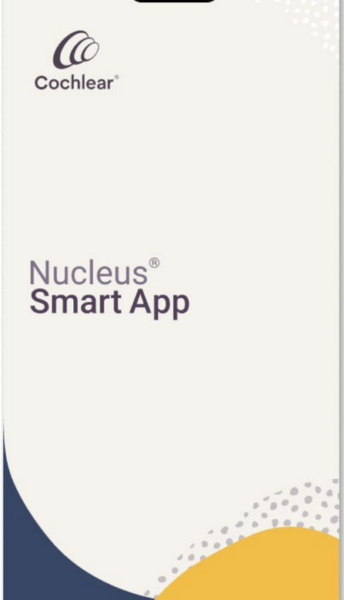 What to do: Find the Nucleus Smart App on your Apple device. Tap the app once to open it.
Good to know: If you cannot find it, swipe down on the Home Screen and search for “Nucleus Smart.”
-
Move through the welcome screens and sign in
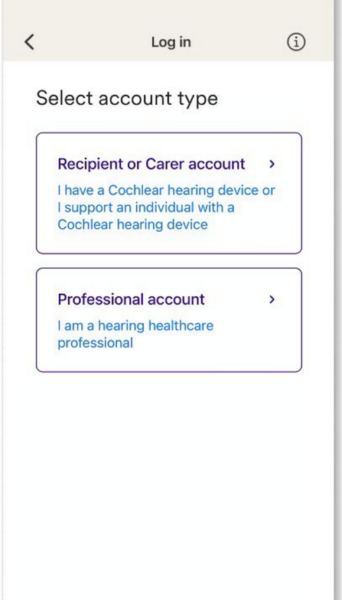 What to do: Follow the welcome screens. When asked, create a Cochlear Account or sign in to the account you already use.
-
Tap “Add hearing devices”
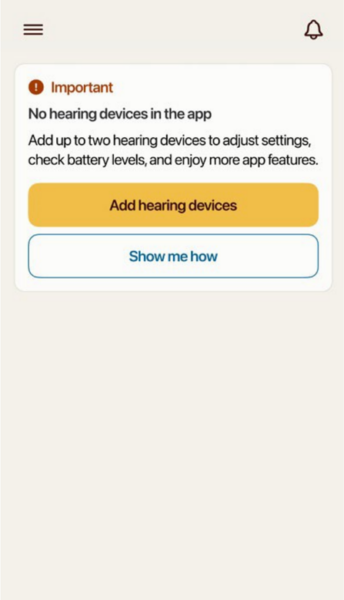 What to do: On the app screen, tap Add hearing devices.
Good to know: Tap the button once, then wait for the next screen.
-
Read the unpairing instructions
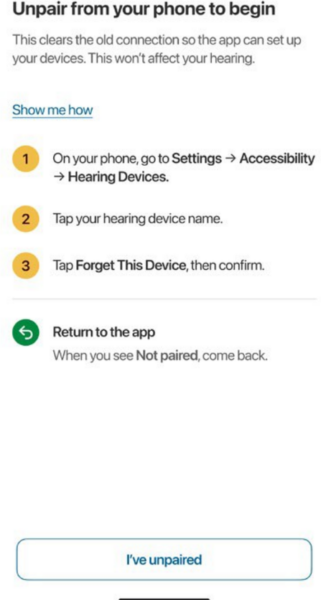 What to do: Read the instructions and then swipe up from the bottom of the screen to navigate to the phone’s Settings app.
-
Open Settings on your Apple device
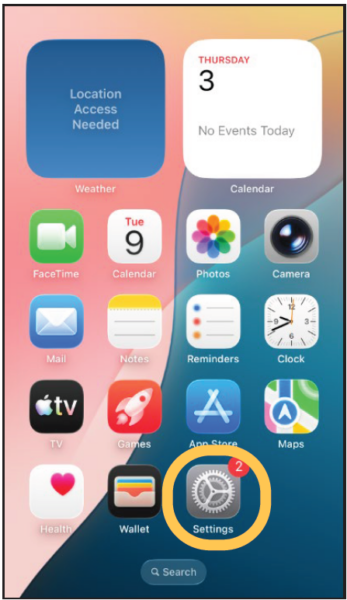 What to do: Go to your Home Screen and tap the gray Settings icon.
-
Tap “Accessibility”
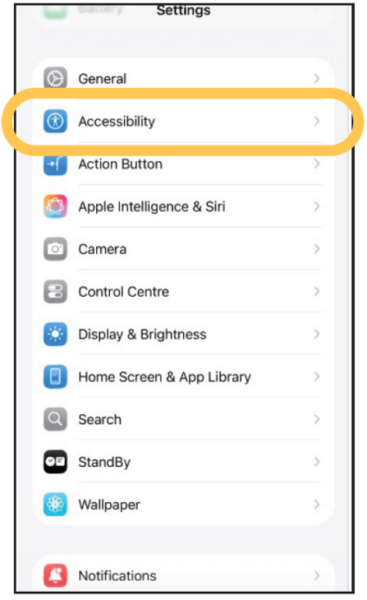 What to do: In Settings, scroll down until you see Accessibility. Tap this option.
-
Tap “Hearing Devices”
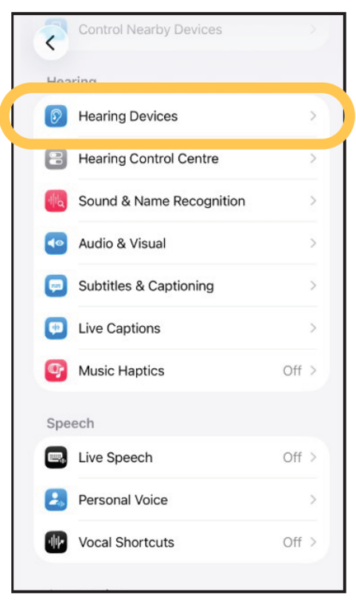 What to do: On the Accessibility screen, tap Hearing Devices.
Good to know: This option may be lower on the screen. Scroll if needed.
-
Tap the name of your hearing device
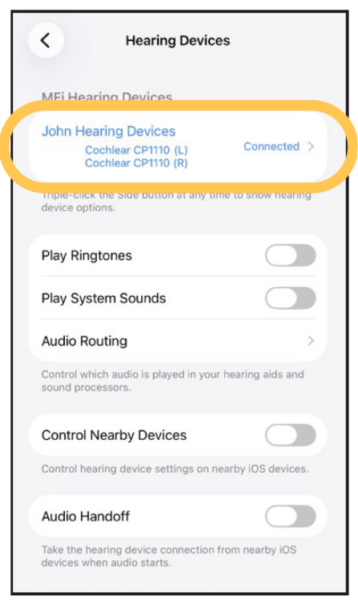 What to do: Under the MFi Hearing Devices section, tap the name of your sound processor.
Good to know: If you use two sound processors, the name may represent both devices.
-
Tap “Forget this device”
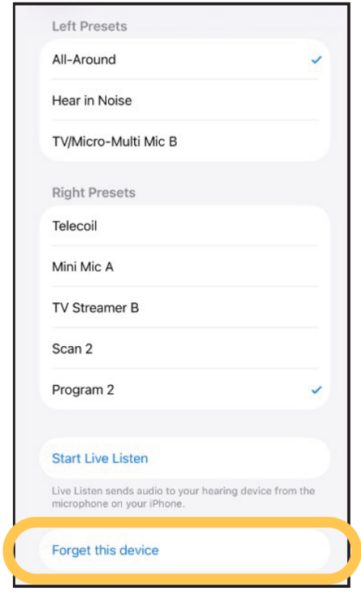 What to do: On the hearing device screen, tap Forget this device.
Good to know: This does not erase your sound processor settings. It only removes the current phone connection.
-
Tap “Forget” to confirm
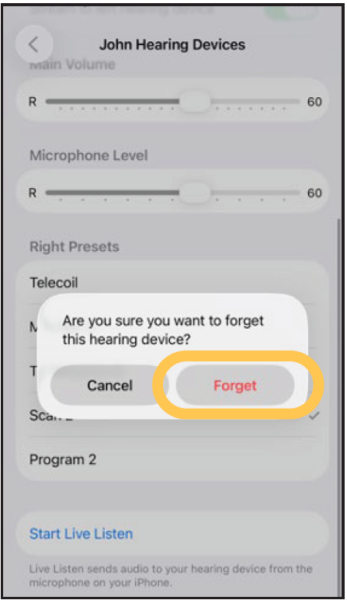 What to do: A message will appear. Tap Forget to confirm.
Good to know: You should return to the ‘Hearing Devices’ screen, without any devices listed.
-
Return to the Nucleus Smart App and tap “I’ve unpaired”
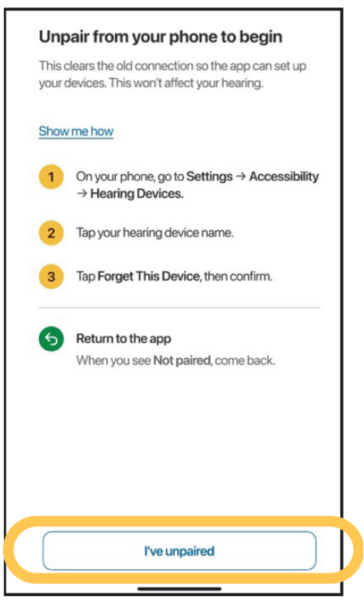 What to do: Go back to the Nucleus Smart App. Tap I’ve unpaired.
Good to know: Return by swiping up to get to the app screen, finding the Nucleus Smar App icon, and tapping it.
-
Turn your sound processor off, then on again, and then confirm
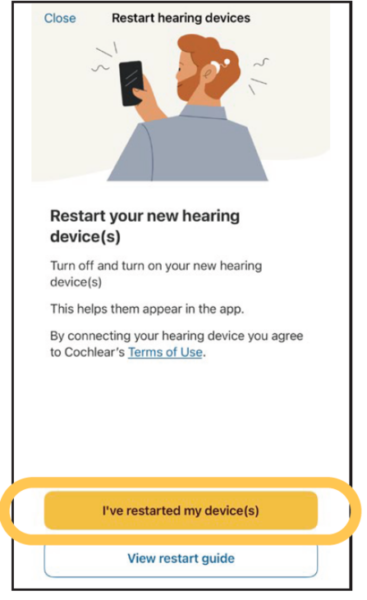 What to do: Restart your sound processor. Then tap ‘I’ve restarted my device(s)’.
Good to know: If you’re unsure how to restart your device, select the ‘View restart guide’ option
-
Wait while the app searches
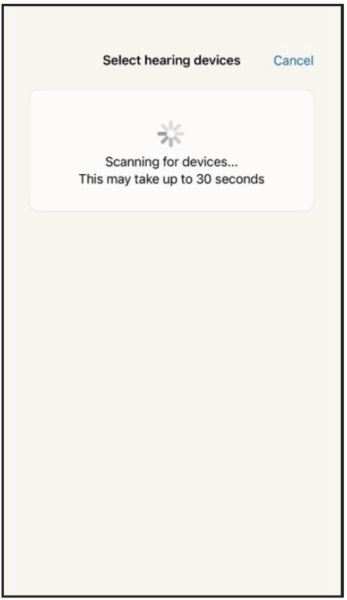 What to do: The app will scan for nearby sound processors. Keep your sound processor close to your Apple device.
Good to know: Do not close the app or leave this screen while it searches.
-
Select your sound processor and continue
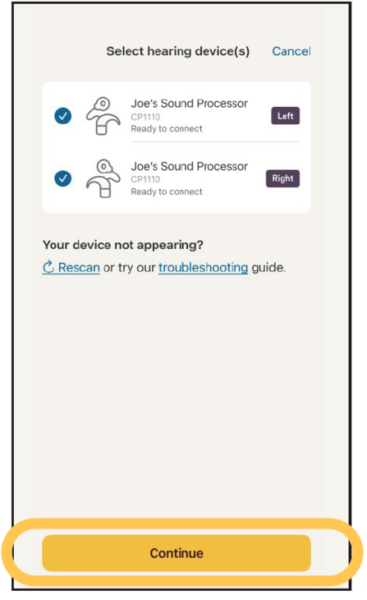 What to do: When your sound processor appears, tap its name. Then tap Continue.
Good to know: If you use two sound processors, make sure both are selected.
-
Wait while the app checks your sound processor
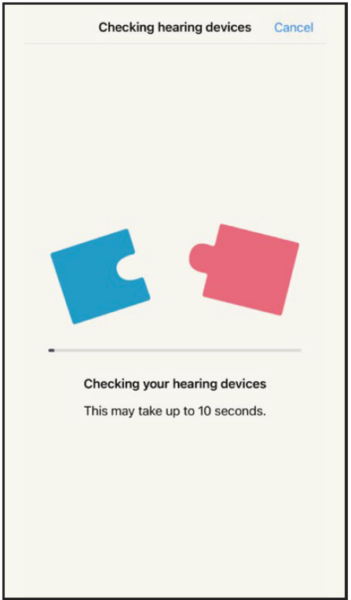 What to do: Let the app finish checking your sound processor.
Good to know: Keep the processor and phone close together.
-
Read the next set of instructions, then open your phone’s Settings
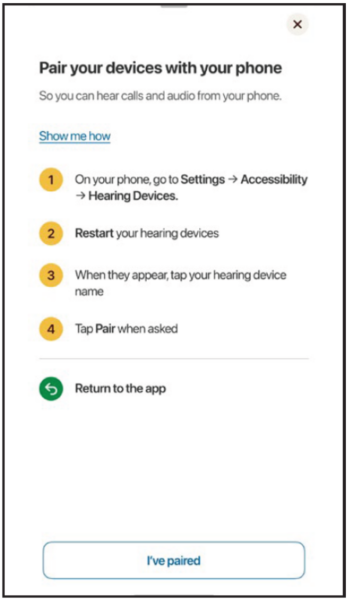 What to do: Read the instructions in the app. When prompted, open your phone’s Settings.
Good to know: Swipe up from the bottom of the screen to get back to the phone’s Settings app.
-
Open Settings
What to do: From your Home Screen, tap the gray Settings icon.
Good to know: You are now starting the Apple pairing steps.
-
Tap “Accessibility”
What to do: In Settings, scroll down and tap Accessibility.
-
Tap “Hearing Devices”
What to do: On the Accessibility screen, tap Hearing Devices.
-
Wait while your phone searches
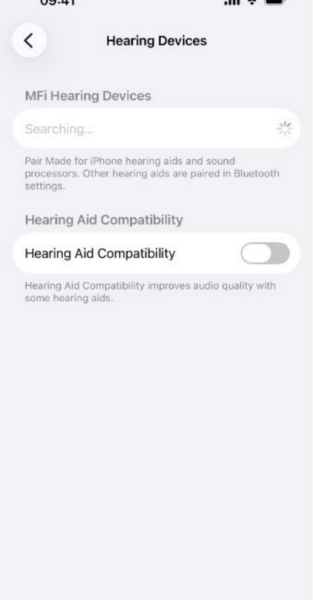 What to do: Your Apple device will search for your sound processor.
Good to know: If your devices aren’t appearing after some time, turn your sound processor(s) off and then on again for them to appear..
-
Tap your sound processor when it appears
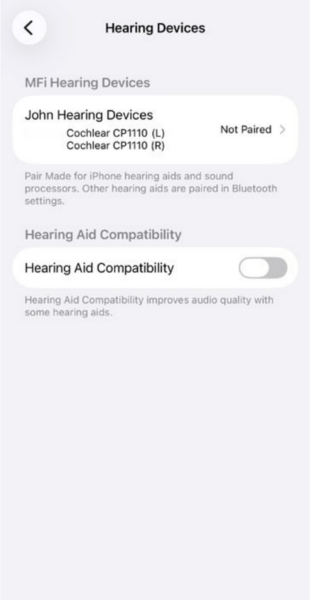 What to do: When its name appears under the MFi Hearing Devices section, tap it once.
Good to know: It can take a few moments for the name to appear.
-
Accept every pairing request
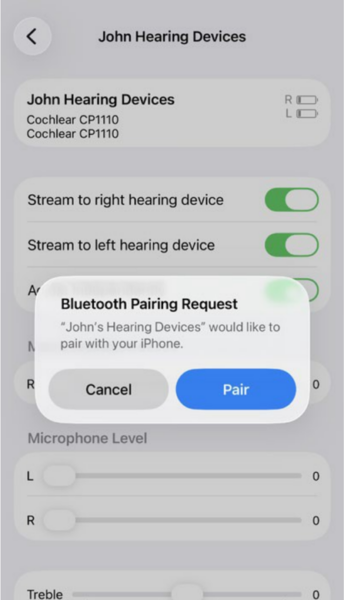 What to do: When a pairing request appears, tap Pair. For two processors, tap Pair again when the second request appears.
-
Return to the Nucleus Smart App and tap “I’ve paired”
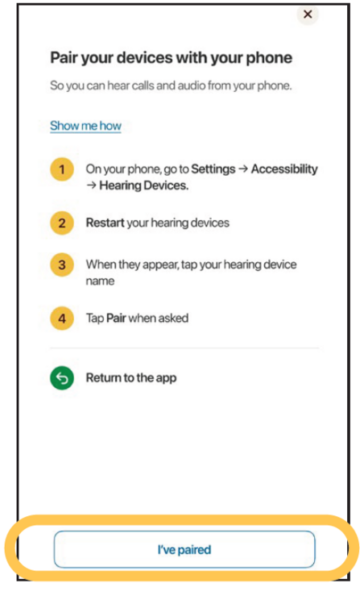 What to do: Go back to the Nucleus Smart App. Tap I’ve paired.
Good to know: The next screens verify the correct sound processor.
-
Wait while verification begins
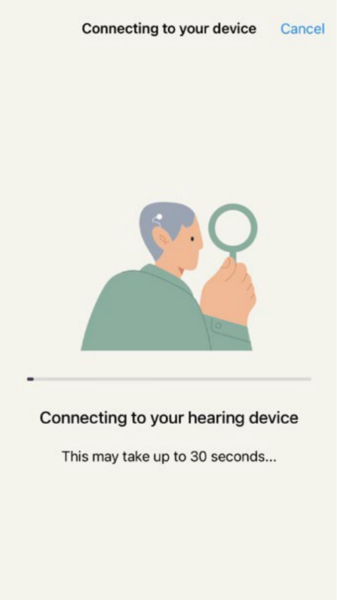 What to do: Keep following the instructions while the app verifies your sound processor.
Good to know: Keep your phone and sound processor close together.
-
Remove the sound processor when asked
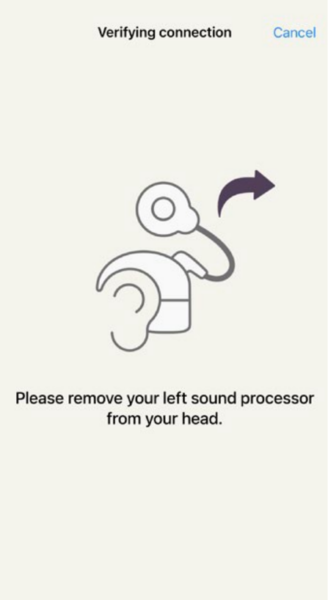 What to do: Only when the app tells you to, carefully remove the sound processor from your head.
-
Follow the app to verify the sound processor
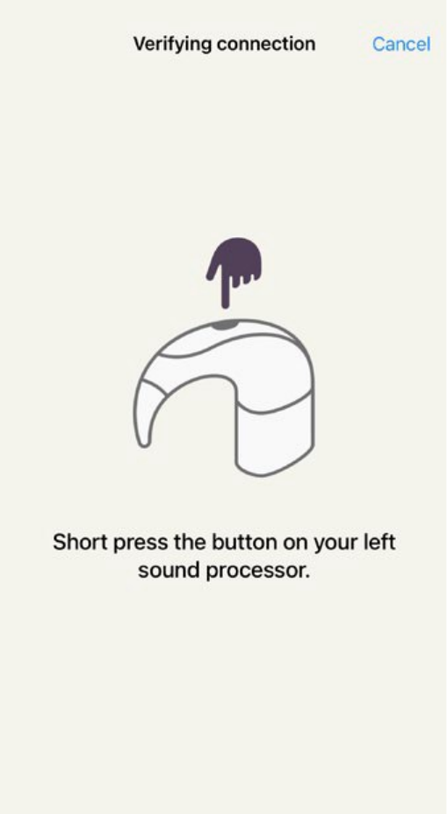
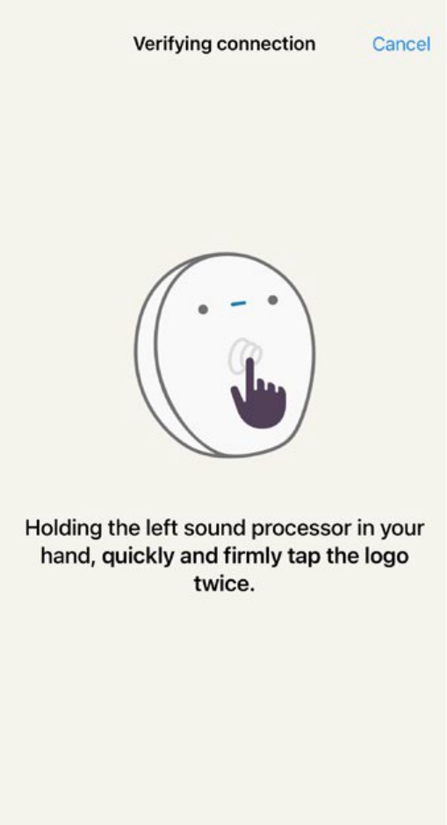
What to do: Complete the verification action shown in the app.
Good to know: You will see one of the above screens based on your device.
-
Put the sound processor back on
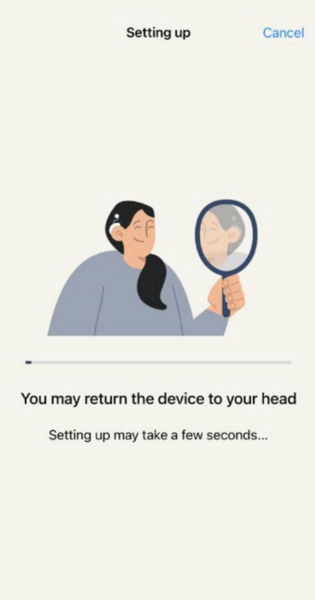 What to do: When the app tells you to, return the sound processor to your head.
Good to know: Make sure it is sitting in its usual position.
-
Tap “Verify right hearing device” if shown
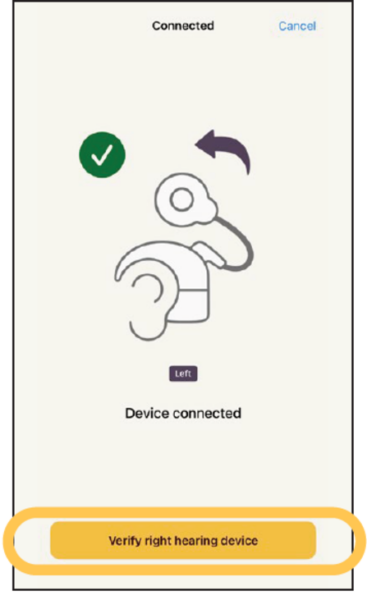 What to do: If you use two sound processors, tap Verify right hearing device when asked.
Good to know: If you use one processor, the app may skip this screen.
-
Remove the sound processor when asked
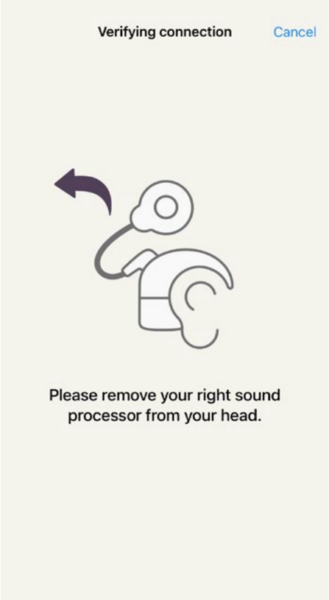 What to do: When instructed, carefully remove the sound processor from your head.
-
Follow the second verification instruction
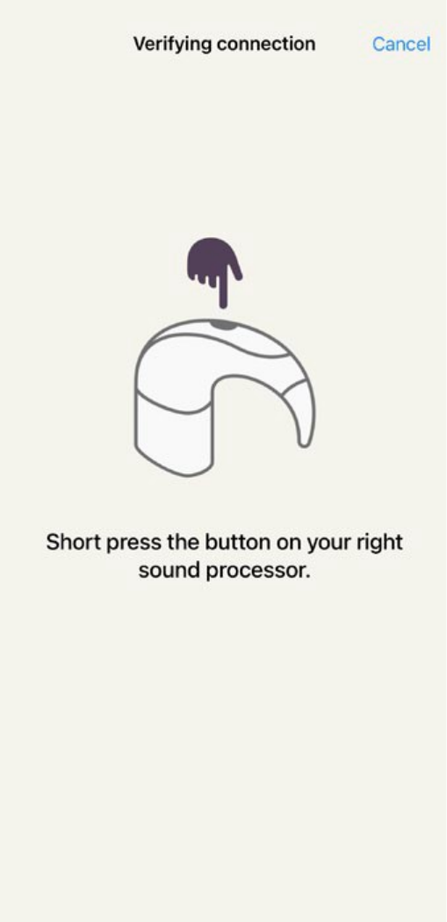
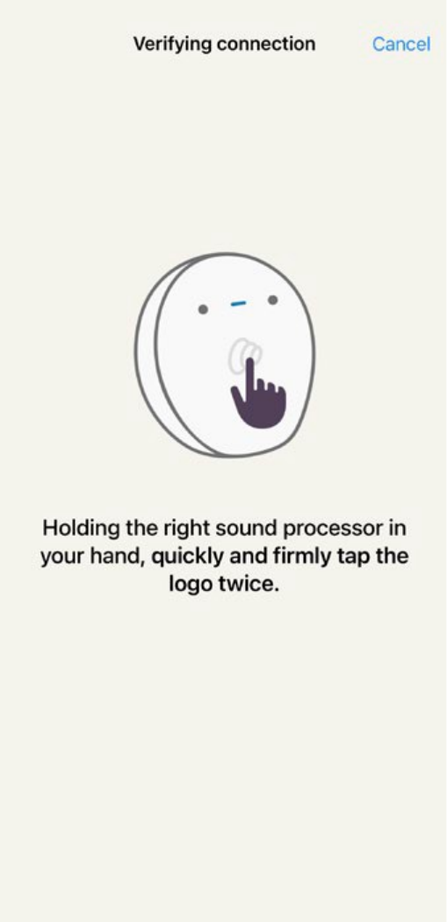
What to do: Complete the verification action for the remaining sound processor.
Good to know: You will see one of the above screens based on your device.
-
Put the sound processor back on
What to do: When the app tells you to, return the sound processor to your head.
Good to know: Make sure it is in its normal position.
-
Tap “Finish”
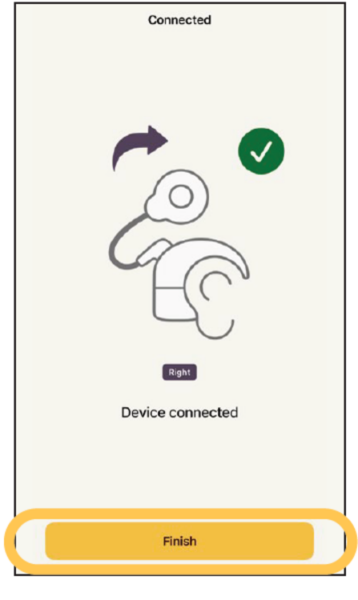 What to do: When the app confirms the sound processor is connected, tap Finish.
-
You are paired and ready to use the app
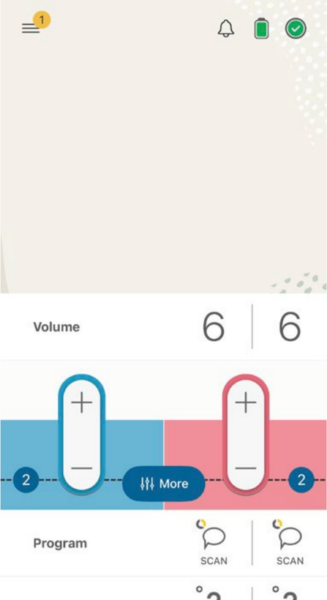 What to do: The Nucleus Smart App home screen will appear. Your sound processor is now connected.
You are now connected to the updated Nucleus Smart App!
If you have questions or are unable to connect your device, please contact one of our friendly Customer Service Agents at 1-800-483-3123 or by using the Live Chat option listed below Monday – Friday from 8am to 5pm MT. https://store.mycochlear.com/store/index.php/usb2c/
1 2 3 4- The Cochlear Nucleus Smart App is available on App Store and Google Play. For compatibility information visit www.cochlear.com/compatibility
- The Bluetooth® word mark and logos are registered trademarks owned by Bluetooth SIG, Inc. and any use of such marks by Cochlear is under license.
- Android is a trademark of Google LLC.
- Apple, the Apple logo, Apple Watch, FaceTime, Made for iPad logo, Made for iPhone logo, Made for iPod logo, iPhone, iPad Pro, iPad Air, iPad mini, iPad and iPod touch are trademarks of Apple Inc., registered in the U.S. and other countries. App Store is a service mark of Apple Inc., registered in the U.S. and other countries.